
When I started my Virtual Assistant business in 2011, I worked on a basic laptop. I was able to get my work done, but it was often frustrating having to switch back and forth between browser tabs when copying and pasting information between programs.
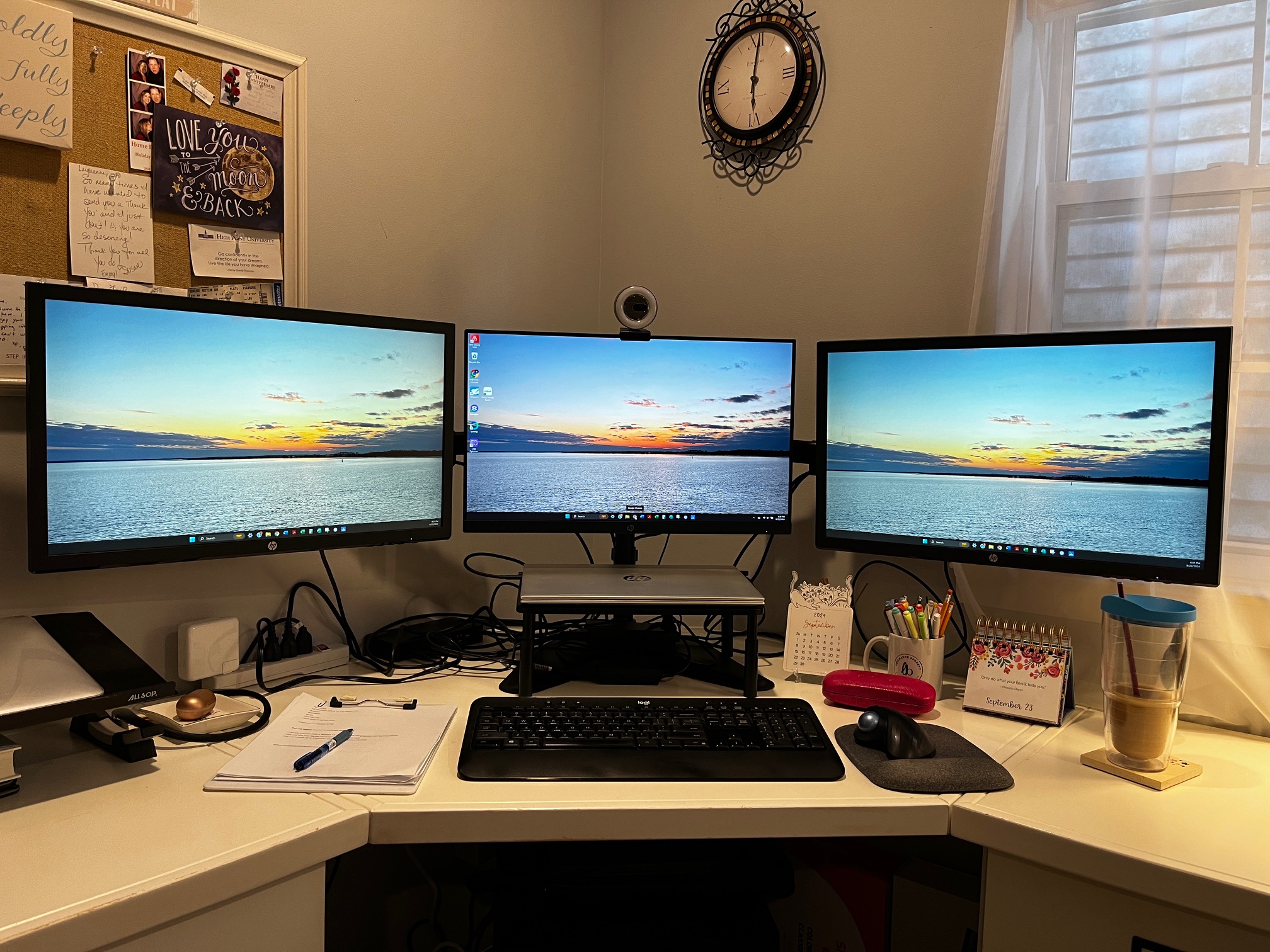
It didn’t take long for me to add an external monitor to my set-up, as that was what I was using at my corporate job. Fast forward a few years, and I was influenced by one of my VA colleagues to add a second external monitor and most recently, I bit the bullet and added a third. All 3 monitors work off my single laptop and my mouse is able to “jump” from screen to screen to screen. Together, they cover 60 inches of virtual workspace across my desk, and I absolutely love it!
Here’s how I use them while working, for example, on a client newsletter:
Screen #1: I have a Word document open with the text for the newsletter that my client has given me.
Screen #2: I have MailChimp open and I’m simply copying text from one screen over to the next.
Screen #3: I have my email client open so that when I send myself a test email, I see it as soon as it appears AND I can easily compare Word Vs. Mailchimp Vs. email.
And that’s just one example. My three screens are attached to a screen stand which holds them at just the right height and, more importantly, up off my desktop so I have plenty of room for all the things!
Having multiple screens can really boost your productivity and make work much easier. If you’re only using one monitor right now, I highly recommend adding one or two external displays to see how they enhance your workflow.
Give it a shot!
Great info, congrats on 3 screens. That is my goal to use 3 screens as well.